Motion that reacts.
Move a Proximity Null to influence scale, position, rotation, and opacity in 2D or 3D. Bind supported numeric effect properties for an extra layer of control.

A motion toolkit for After Effects v1
Turn your artwork into circles, paths, globes, and waves. Build the arrangement. Find the rhythm. Make it yours.
Your layers. One controller. More possibilities.
01 / Find your form
From a simple ring to a globe of layers.
Choose the starting point for your next idea.
01 / CIRCULAR
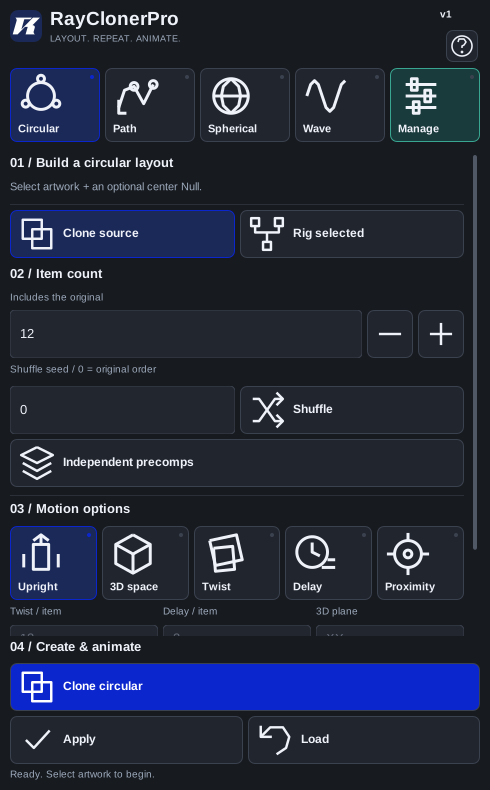
Arrange artwork into rings, ellipses, and arcs. Add Radius Stagger for an expanding spiral, or switch to 3D and use Radius Z to build a spring.
Panel preview · layout adapts to your workspace.
02 / Add your signature
Shape the layout, vary the order,
and make the whole system react.
Move a Proximity Null to influence scale, position, rotation, and opacity in 2D or 3D. Bind supported numeric effect properties for an extra layer of control.
Choose a Shuffle Seed before generating, or adjust it in Effect Controls. Repeat an arrangement you love, or change the seed to find something new.
Use Twist for progressive rotation and Delay for staggered control sampling. Combine them with your layout to build more expressive motion.
03 / Keep your flow
Work with shape layers, text, footage, and precomps. Clone one source or arrange several selected layers.
Choose your source layers and the mode that fits your idea.
Set the count and motion options. Create your rig with a single action.
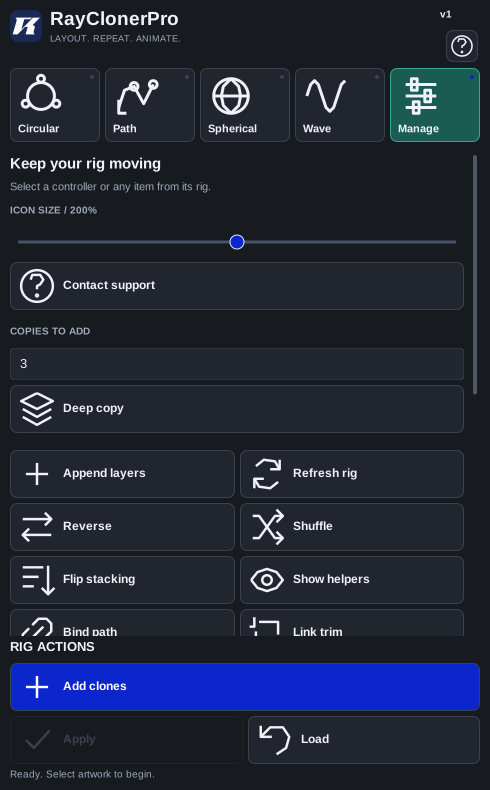
Animate the controller in Effect Controls. Add clones, adjust the order, or bake the motion when you’re ready.
Your next idea starts here
Get RayClonerPro and the Start Here guide.
One plugin file. All icons included.